# BitBucket Team Issue Management
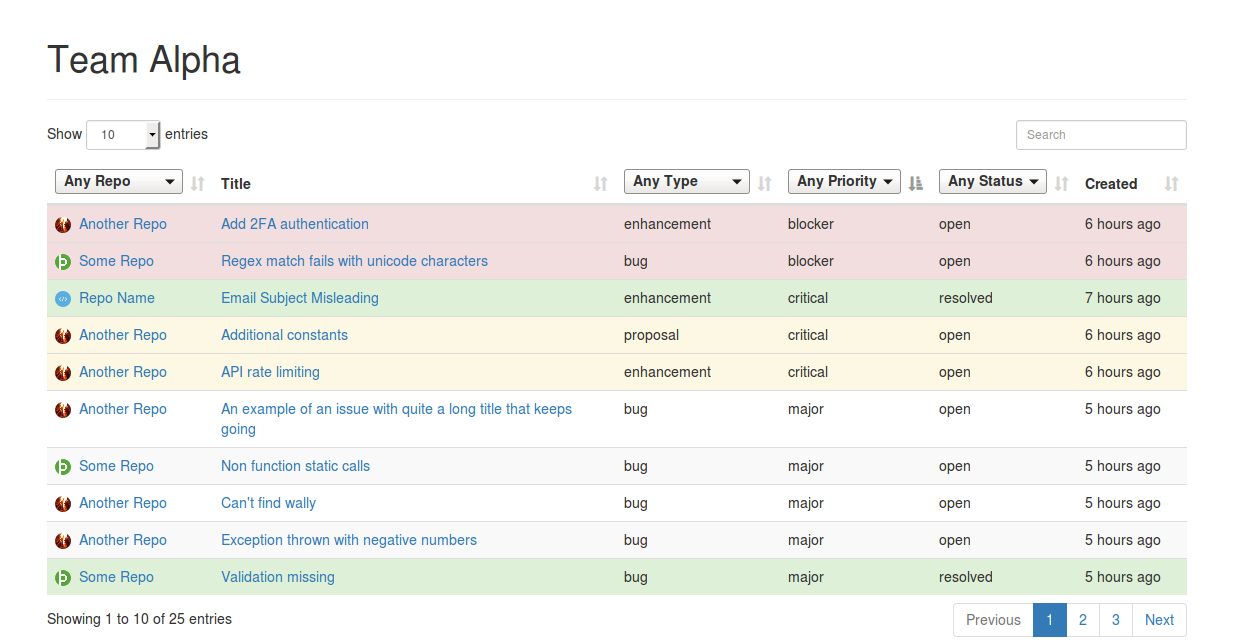
A tool that allows you to see, sort, filter and search all issues from all repositories in a BitBucket team.
## Screenshot
 ## Setup
#### 1: Get the code!
```
git clone https://github.com/moebrowne/BitBucket-Team-Issue-Manger.git
cd BitBucket-Team-Issue-Manger
composer install
yarn
# or
npm install
```
#### 2: Setup an OAuth consumer
On the BitBucket team management page (`https://bitbucket.org/account/user/<TEAM_ID>/api`) add an OAuth Consumer. You only need to fill in the name (this can be whatever you want) and grant read access to repositories and issues.
Next copy the example `auth-sample.json` to `auth.json` and populate it with the Key and Secret from the new OAuth consumer.
#### 3: Run the JSONifier
Next we need to get all the issues from BitBucket, this is easily done by calling:
```
php -f teamIssuesToJSON.php TEAM_ID
```
You should now see a `TEAM_ID.json` in the project root, this is all your issue data.
## Viewing The Data
You should now be able to see your data if you run up a little test server:
```
php -S localhost:9090
```
And browse to `http://localhost:9090/?teamName=TEAM_ID`
## Setup
#### 1: Get the code!
```
git clone https://github.com/moebrowne/BitBucket-Team-Issue-Manger.git
cd BitBucket-Team-Issue-Manger
composer install
yarn
# or
npm install
```
#### 2: Setup an OAuth consumer
On the BitBucket team management page (`https://bitbucket.org/account/user/<TEAM_ID>/api`) add an OAuth Consumer. You only need to fill in the name (this can be whatever you want) and grant read access to repositories and issues.
Next copy the example `auth-sample.json` to `auth.json` and populate it with the Key and Secret from the new OAuth consumer.
#### 3: Run the JSONifier
Next we need to get all the issues from BitBucket, this is easily done by calling:
```
php -f teamIssuesToJSON.php TEAM_ID
```
You should now see a `TEAM_ID.json` in the project root, this is all your issue data.
## Viewing The Data
You should now be able to see your data if you run up a little test server:
```
php -S localhost:9090
```
And browse to `http://localhost:9090/?teamName=TEAM_ID`